
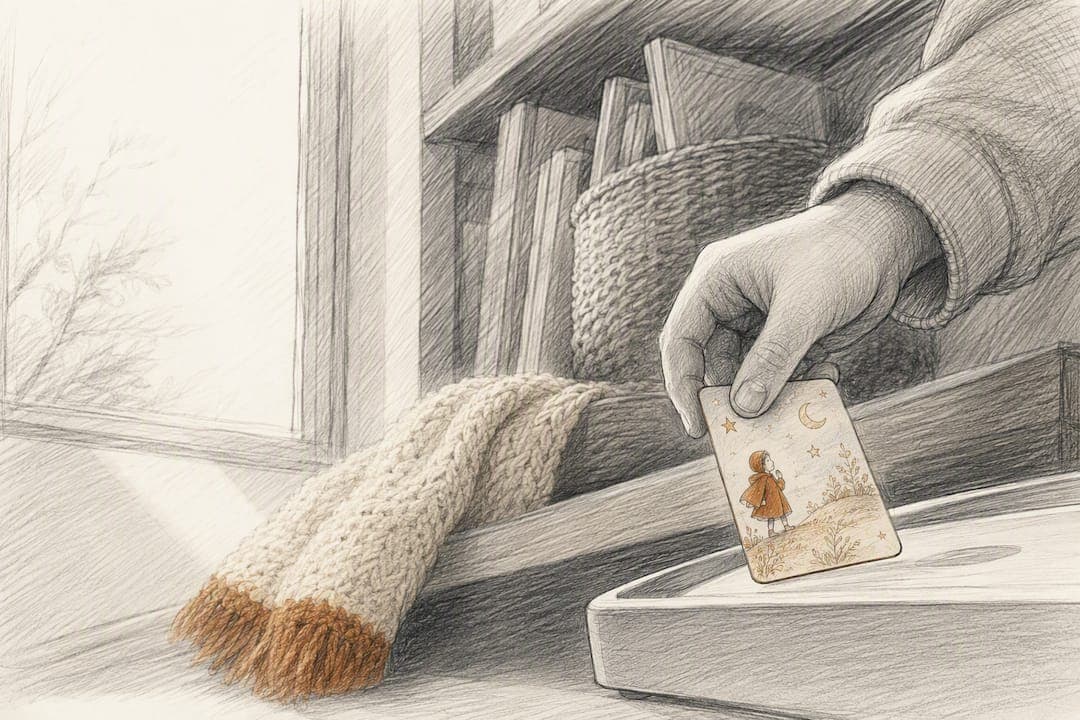
For families who want screen-free, tactile listening, story cards win over any menu-based or playlist-style system. A physical card gives a child real independence, a predictable routine, and no ads or algorithms to navigate. The trade-off is honest: you'll manage a small library of cards and pay for the content that fills it, but for bedtime, travel, and grandparent gifts, that trade is usually worth making.
TL;DR:
- NFC story cards offer offline, easy-to-use listening experiences that require no screen navigation or parental assistance during daily routines.
- The typical starter kit includes a device, five to ten cards, and storage solutions, with ongoing costs for new cards or subscriptions to keep content fresh.
- Physical cards improve engagement, deepen emotional bonds through personalization, and support independent, predictable bedtime habits.
- Card loss is common, so families should organize cards with labels or sleeves, and content availability may be limited by seasonal or licensing restrictions.
- Most effective for children aged three to ten, with accessible features like tactile textures and simple tap controls that aid pre-literate and sensory-sensitive kids.
Table of Contents
- Story Cards vs Playlists: How Daily Use Actually Feels
- How NFC Story-Card Players Actually Work
- What Families Actually Gain From Story Cards
- The Honest Trade-Offs of Going With Story Cards
- A Quick Checklist for Evaluating Any Story-Card Player
- Getting Started Without the Overwhelm
- Can Story Cards Work Alongside Other Devices and Platforms?
- Which Ages Get the Most Out of Story Cards?
- A Few Honest Words on Choosing Screen-Free Over Scrolling
- Where Echo-Story Box Fits Into the Checklist
- Sources
Story Cards vs Playlists: How Daily Use Actually Feels
The difference between story cards and playlists shows up the moment a child wants to listen. With a card, the routine is simple: pick it up, tap it, hear the story. There's no scrolling, no "up next" suggestion pulling attention somewhere else, no menu that a four-year-old needs help reading. With playlist-style or app-based systems, a child usually needs an adult to open a screen, find the right title, and press play, even when the content itself is audio-only.
That gap matters most in three everyday scenarios:
- Bedtime: a tired child can tap a card without needing a parent to operate anything.
- Travel: cards work the same in a car seat or a hotel room, with no need to hunt for Wi-Fi.
- Gifting: grandparents can mail or hand over a single card that plays one specific, chosen story, which is harder to replicate with a shared streaming login.
Compare the two on the traits parents actually notice, and the pattern holds. Story cards give a child more independence because there's nothing to choose between. They're more predictable because the caregiver decided what's on the shelf before the child ever touched it. And they work offline by default, while playlist-based systems often assume a connection somewhere in the chain.
How NFC Story-Card Players Actually Work
Each card contains a small NFC chip, the same short-range wireless technology used in tap-to-pay cards. When a child taps or sets the card on the reader, the device recognizes the chip's unique ID and matches it to a specific audio file already stored in its memory.
- The card triggers, it doesn't store. The audio itself usually lives on the device, not on the card. The card is closer to a key than a hard drive.
- Content loads once, plays many times. A parent typically links new cards to the device through an initial setup step, often over Wi-Fi, and after that the story is stored locally.
- Playback stays local. Because the file sits on the device, the story plays without an internet connection every time after that, which is why many NFC-based players hold up well for road trips and cabins with weak signal.
- Controls stay simple. Tapping a card plays the story, and lifting the card off the reader typically pauses it. Volume is usually a dial or a couple of large, forgiving buttons.
Pro Tip: Charge the device fully before a trip and load your child's five or six favorite cards onto it ahead of time. That way, even if you forget to pack every card, the stories are already sitting in the device's memory and ready to play.
What Families Actually Gain From Story Cards
The biggest benefit isn't convenience. It's attention. A 16-week classroom study comparing tangible interfaces to tablet-only versions found preschoolers spent about a minute longer per session with the tangible version, and teachers rated engagement higher with the physical format, indicating increased engagement for preschoolers.
Story cards also hand curation back to the caregiver instead of an algorithm, offering curated parenting resources and story collections like those in the Childhood Parenting Bundle – eBook Warehouse. Design researchers who study these tactile systems describe them as creating a curated ecosystem that supports predictable routines, because the parent decides what goes on the shelf before the child ever picks anything up. There's no recommendation engine nudging a five-year-old toward something louder or flashier to hold attention.
A few other outcomes show up consistently:
- Personalization deepens the bond. A card can carry a story with the child's own name, a pet's name, or a grandparent's recorded voice, which builds an emotional connection generic content can't match.
- Comprehension gets a boost. Related research on haptic and tactile cues in kindergarten storytelling found improved comprehension when physical interaction was added to the listening experience.
- Screen-free calm is real. No ads, no notifications, no autoplay chain reaction. Parents in several product reviews describe physical audio media as a way to limit exposure and keep a contained library their child can't wander out of.
- Independence supports routine. Parents report that tactile players help children build independent listening habits and stick to consistent bedtime patterns.
None of this requires supervision at every step, which is part of the point. A story card system is built to be handed to a child and trusted.
The Honest Trade-Offs of Going With Story Cards
No format is free of friction, and story cards carry a few real costs worth planning for before you buy.
The device itself is usually a one-time purchase, but the library grows through card packs or a subscription, and that adds up over a year of steady use. Expect an upfront cost for the player, then ongoing spending on new cards or a mailed pack subscription to keep the story rotation fresh.
Small physical items get lost. Reviewers who've tested these systems consistently flag the challenge of tracking many individual cards, especially once a child has a shelf of thirty or forty of them. A few practical fixes solve most of this:
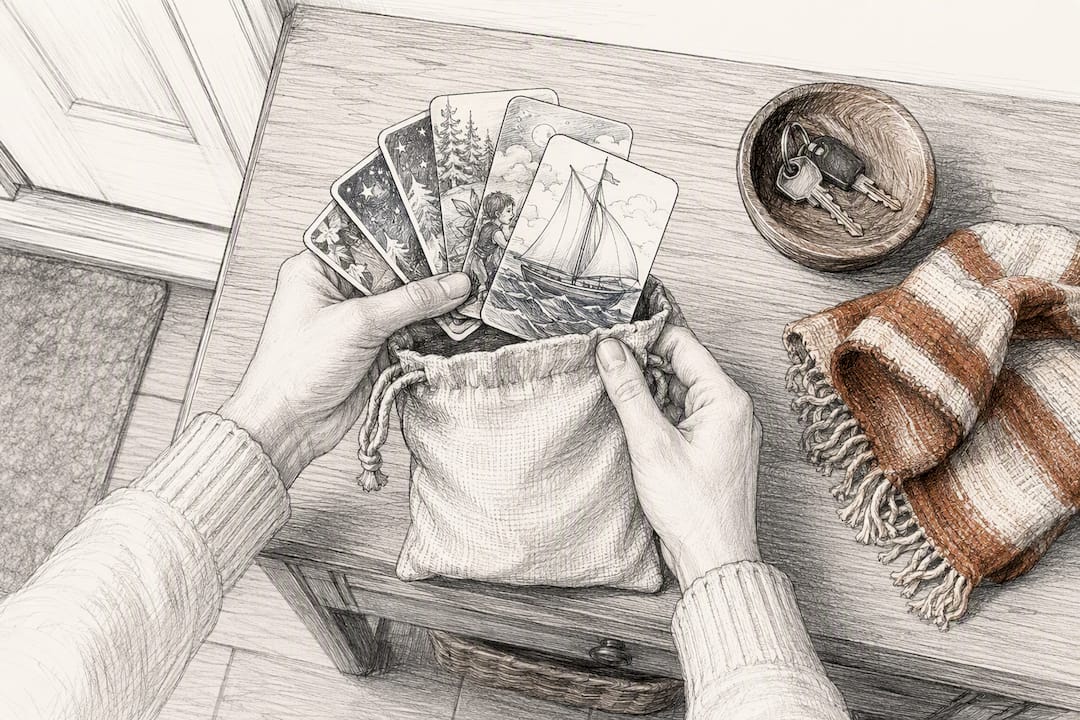
- Store cards upright in a labeled box or binder sleeve, sorted by theme or character.
- Keep a simple written or photo inventory so a missing card gets noticed fast.
- Choose cards with rounded corners and a coated or laminated finish for younger children who chew or bend things.
Content breadth is the other honest limitation. A card library is finite by design, and seasonal or licensed content may only be available for part of the year. Families who want an endless, ever-changing catalog on demand may find a curated card system feels narrower than they expect, even though that narrowness is exactly what makes it calming for a young child.
Pro Tip: Keep a small "away bag" of six to eight cards packed and ready near the door. It saves the scramble of picking cards last minute and keeps your best-loved favorites from getting buried in a bigger collection.
A Quick Checklist for Evaluating Any Story-Card Player
Before buying, run any screen-free story-card system through these five checks.
- Offline playback. Confirm content downloads to local storage rather than streaming, so it plays without Wi-Fi once loaded.
- Child-proof controls. Look for tap-to-play and pause-on-removal behavior, plus a volume control simple enough for a three-year-old to use without help.
- Personalization workflow. Ask how family voice recordings get uploaded and how easily a card can be customized with a child's name or a grandparent's message.
- Replacement and subscription terms. Check the cost of blank or replacement cards, whether a mailed subscription exists, and what the warranty covers.
- Starter content range. Review what age ranges and story types come in the starter pack, since that tells you how far the box goes before you need to buy more.
Running through these five points takes about the same time as reading one product page, and it catches most of the regrets buyers report after the fact.
Getting Started Without the Overwhelm
A solid starter setup is simpler than it looks: the player itself, a starter pack of five to ten cards, and some kind of storage sleeve or small box to keep them from scattering.
- Buy ready-made or build your own. Some families prefer an assembled device out of the box; others enjoy following a DIY guide and wiring their own player, and printable card resources support both approaches.
- Expect mailed packs on a rhythm. Monthly story-card subscriptions typically arrive on a set schedule with a theme, whether that's a seasonal adventure or a new chapter in a recurring character's story.
- Label as you go, not after. Write the title on the card's edge or sleeve the moment it arrives, before it lands in the pile with everything else.
- Pair cards with routine, not novelty. A consistent bedtime storytelling habit does more for a child's calm than constantly rotating new content.
Can Story Cards Work Alongside Other Devices and Platforms?
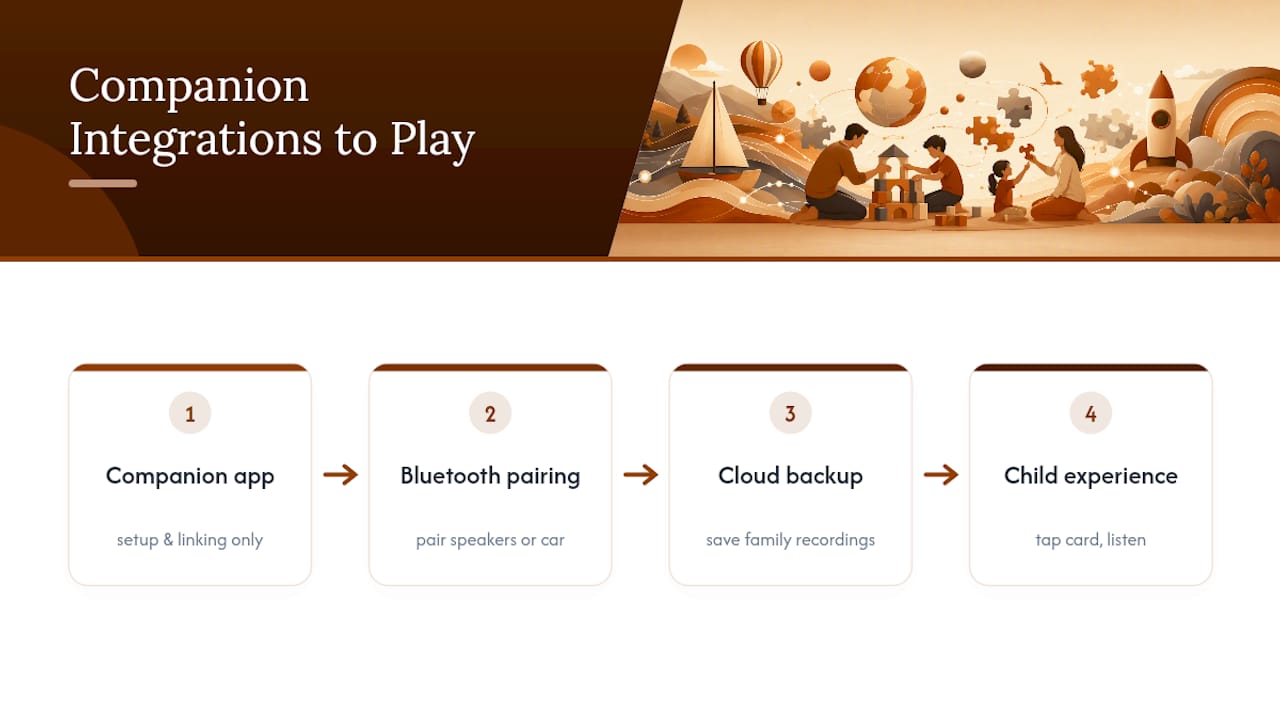
Most screen-free story-card players are built to stand alone, and that's intentional. They don't need a phone app running in the background or a smart speaker to talk to. That said, a growing number of setups allow companion features that don't compromise the screen-free core experience.
Many devices support a companion app used only for setup tasks: linking new cards to stories, uploading a family voice recording, or checking battery status. The app isn't where the child interacts with the story. It's a backstage tool for the parent, used occasionally rather than daily.
Bluetooth speaker pairing is another common option, useful when a family wants a story to fill a bigger room or a car during a long drive. Some players also support basic cloud backup of personalized recordings, so a grandparent's recorded bedtime story survives even if a card gets damaged or lost. None of these integrations pull the child toward a screen. They exist to make the parent's setup and backup process easier, while keeping the child's actual experience limited to a tap and a listen.
Which Ages Get the Most Out of Story Cards?
Story-card systems tend to work best for children roughly three to ten years old, though the sweet spot shifts depending on the child's motor skills and attention span.
Younger children, around ages three and four, benefit most from oversized, easy-to-grip cards and simple one-button volume controls, since fine motor control is still developing. Kids in the five-to-seven range typically manage more independent card selection and start showing preference for specific characters or series, which is where personalization and recurring adventure stories tend to land best. Children eight and up often use story cards for longer-form audiobooks, educational history adventures, or homeschool audio, since their listening stamina has grown well past a ten-minute bedtime story.
Accessibility matters here too. The tap-and-play mechanic requires no reading ability, which makes these players useful for pre-literate children and for kids with visual processing differences who find screens fatiguing. Large, tactile cards with distinct textures or shapes can also help children with certain motor or sensory needs identify a favorite story by feel alone, without needing to read a label.
A Few Honest Words on Choosing Screen-Free Over Scrolling
Reclaiming storytelling isn't about rejecting technology. It's about deciding which parts of childhood deserve a screen and which parts don't. A bedtime story, a long car ride, a grandparent's voice preserved for a child who's still learning to talk. None of that needs a notification badge attached to it.
Story cards earn their recommendation because they put a boundary around the experience before the child ever presses play. That boundary is the whole point. It's also fair to say this isn't the cheapest option on the shelf, and families juggling a tight budget should weigh the cost of a device and ongoing card packs against how often it will actually get used.
Match the choice to your routine, not to what looks impressive in a review. A well-loved shelf of twenty cards beats an overflowing library nobody has time to sort.
— Bob
Where Echo-Story Box Fits Into the Checklist
Everything in that evaluation checklist points toward one kind of product, and it's exactly what we built. Echo-Story Box runs on tap-to-play NFC cards with local storage, so stories keep playing on long drives with no signal in sight. Personalization is built in, not bolted on. You can record your own voice, a grandparent's bedtime message, or a family history moment, and put it directly on a card your child will return to for years.
Starter kits come with a first batch of cards ready to go, and a monthly mailed story-card subscription keeps new adventures arriving on a set rhythm so you're not constantly buying one-off packs. Families who want to build their own can follow DIY guides instead of buying pre-assembled. Whichever path fits your household, the Echo-Story Box landing page is the place to see current starter kits, card packs, and legacy recording options, and to get one on the way to your family.
Sources
- In-situ study comparing TUIs and tablet-only interfaces for preschool ER tasks
- Design perspectives on tangible curated audio ecosystems and family curation (2025)