
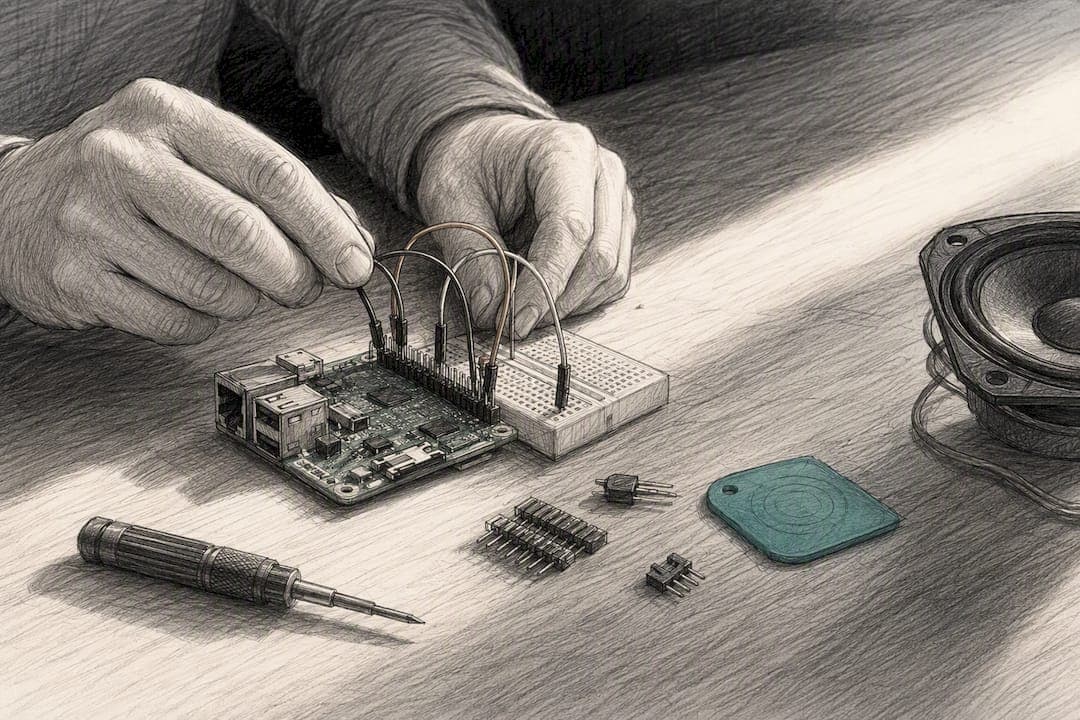
For most families, buying a ready-made Raspberry Pi audio player built for kids, like the Echo-Story Box, beats a DIY build because it works the moment it arrives and grows with your family's story library. If you enjoy wiring and tinkering, a Raspberry Pi DIY story box costs less upfront and gives you full control over the hardware and file setup. This guide covers a minimal parts checklist, a simple tag-to-audio mapping method, child-safety tips, and a quick-start checklist for either route.
TL;DR:
- Using a Raspberry Pi Zero W or Pi 3/4 with an NFC reader, amplifier, and speaker creates a reliable, offline NFC story player suitable for families.
- When designing, focus on physical card placement, durability, and quick-wake features to maintain kid engagement and prevent troubleshooting frustrations.
- Adding personalized recordings is straightforward with MP3 or AAC files, which can be mapped to NFC tags, preserving family voices for years.
- Ready-made story boxes are the quickest option, offering immediate use with no wiring or coding, while DIY builds require a focused weekend but cost less in parts.
- Maintaining physical design elements like alignment marks and volume limits enhances usability and safety for young children.
Table of Contents
- What Is a Raspberry Pi NFC Story Player, and Which Path Fits Your Family?
- DIY Essentials: Parts, Wiring, and Software for a Reliable Build
- How Does NFC Tag Mapping Work for a Kid-Friendly Player?
- Designing for Small Hands: Alignment, Durability, and Power
- How Do You Add Personalized and Legacy Recordings?
- Ready to Start? Two Practical Paths Forward
- Echo-Story Box: The Screen-Free Player Built for Families, Not Makers
- What We Learned Building and Testing Story Players
- A Few More Places to Look
- Sources
What Is a Raspberry Pi NFC Story Player, and Which Path Fits Your Family?
When we talk about a Raspberry Pi audio player in this guide, we mean something specific: a small screen-free box that plays a story, song, or family recording when a child taps an NFC card on top. It's not a home audiophile streaming rig or a multiroom music system. It's closer to a digital storybook that responds to touch instead of taps on a screen.
Families usually turn to this kind of device for one of three reasons: replacing screen time at bedtime, giving grandparents a way to record personal messages, or preserving family voices and stories for the next generation. Beyond that, the choice comes down to how you weigh reliability against cost.
- Ready-made boxes arrive tested, come with a content library, and include support if something breaks.
- DIY builds cost less in parts but ask you to write, debug, and maintain the software yourself.
- Time and comfort matter more than money here: if you don't have a free weekend or don't enjoy troubleshooting Python errors, buying saves real frustration.
- Maintenance tolerance is the deciding factor for many households. A DIY box needs occasional care; a finished product mostly doesn't.
DIY Essentials: Parts, Wiring, and Software for a Reliable Build
A working Raspberry Pi music player for kids doesn't need much hardware. Here's the minimal list makers actually use:
- A Raspberry Pi Zero W (compact, low power) or a Pi 3/4 if you want more processing headroom.
- An NFC reader module, typically a PN532 or MFRC522, wired over SPI or I2C.
- A small amplifier board, like the MAX98357A, paired with a single speaker.
- A microSD card (16GB is plenty for most story libraries).
- A stable power supply, plus optional physical buttons for volume or skip.
Wiring is straightforward: connect the NFC reader's SPI or I2C pins to the Pi's GPIO header, then run the amplifier's audio output to your speaker. Install libnfc or the MFRC522-python library, and confirm the reader works with a quick nfc-poll test before writing any playback code.
The playback logic itself is simple: a short Python script reads the tag's UID, looks up the matching file path, and hands it off to mpg123 or mpv to play. Keeping everything offline protects your family's privacy and avoids the reliability headaches that come with depending on Wi-Fi. Rather than build this from scratch, borrow the pattern from an existing open-source audio project. StoryBox demonstrates a working Pi Zero W build with an RFID reader and speaker, and favolotto shows a clean SPI wiring and UID-to-file mapping flow you can adapt directly.
Pro Tip: Test your NFC reader and audio output separately before connecting them in code. Isolating hardware problems from software problems saves hours of confused debugging.
How Does NFC Tag Mapping Work for a Kid-Friendly Player?
The simplest way to connect a tag to a story is a single text file, not a database. A YAML or plain-text file listing each tag's unique ID next to a file path is easy for a parent or grandparent to edit later, even without any coding background. The magic-storybook project uses exactly this approach, and it's a big reason the system stays approachable for non-technical family members.
You'll generally want three mapping modes, depending on the content:
- Single-track, for a short bedtime story or a one-off message.
- Album or playlist, for a series of related stories or songs.
- Audiobook with bookmark, which saves a small local file tied to the tag's UID so playback resumes where a child left off, a pattern used in the audiobox-for-kids project.
Keep file names readable, something like theo-rabbit-forest-01.mp3 rather than a string of numbers, and always back up your master audio files somewhere other than the SD card. Program each tag once, then keep a labeled master list and a few spare blank tags on hand for whenever a new story gets added.
Designing for Small Hands: Alignment, Durability, and Power
The software almost always works. What trips up most builders is the physical interface. Card placement needs to be forgiving. Recessed slots, small embedded magnets, or a simple painted index mark make a huge difference for a four-year-old who hasn't developed fine motor precision yet. Test your design with both your smallest and largest expected cards before you commit to an enclosure.
- Use durable materials, round off sharp edges, and screw the speaker grille in rather than gluing it.
- Cap the volume in software to protect young ears during unsupervised listening.
- Design for quick-wake instead of a full reboot cycle. A box that takes 30 seconds to boot loses a toddler's attention fast, and abrupt power loss mid-boot can corrupt the SD card.
- Choose a stable, adequately rated power supply, and think carefully before relying on a power bank a child might unplug mid-story.
Pro Tip: Mark the correct card orientation with a bright dot or a simple icon printed near the reader. Kids match shapes and colors long before they read directions.
How Do You Add Personalized and Legacy Recordings?
This is where a story player becomes something more than a gadget. It becomes a way to keep a voice alive.
Recording is simple: a phone voice memo or a basic USB microphone works fine. Trim the dead air at the start and end, normalize the volume so it doesn't sound too quiet next to your other stories, and export as MP3 or AAC.
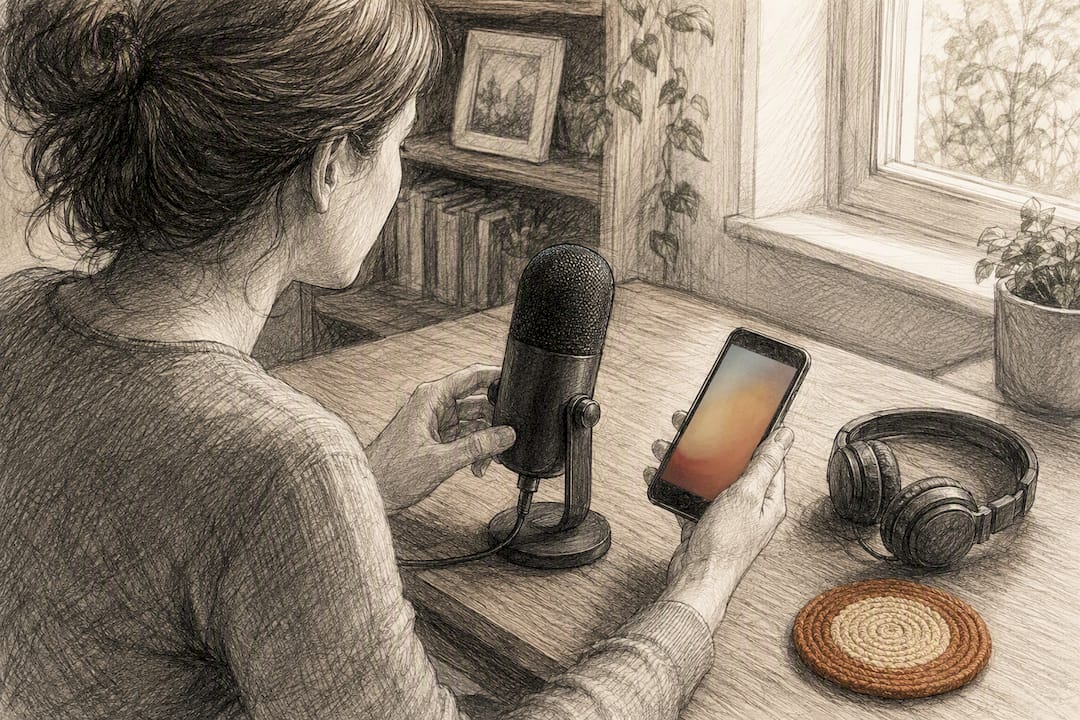
Once you have a clean recording, add it to your mapping file and assign it a new NFC card, just like any other story. Keep the original recording stored separately as a master file, labeled with a date and a short note about who's speaking, since these files often matter more overtime than anything else on the device. Playing everything locally, without cloud uploads, keeps a grandparent's voice private and accessible for as long as the family keeps the hardware running.
Before handing a card to a child, run through a short check:
- Play the full recording once to confirm there are no gaps or clipped audio.
- Confirm the volume matches your other cards.
- Test the tag itself two or three times to make sure it reads consistently.
- Write the recording's contents on your master list before it gets buried in a folder of similar file names.
Ready to Start? Two Practical Paths Forward
If you want something that works today, buying is the faster route. An assembled story box arrives ready with story cards and a content library, so there's no wiring or coding between you and your first bedtime story.
If you'd rather build:
- Order a Pi Zero W or Pi 4, a PN532 reader, an amplifier, and a speaker.
- Flash your SD card, connect the NFC reader, and confirm it reads a tag with
nfc-poll. - Copy a sample mapping file from an open-source Pi audio project, then test one programmed tag before doing the rest.
- Secure the enclosure, round the edges, and run your volume and power checks.
A basic DIY build typically takes a focused weekend and modest parts spending. A ready-made box gets a family listening the same day it arrives.
Echo-Story Box: The Screen-Free Player Built for Families, Not Makers
This kind of NFC story player exists for families who want the personal, tactile experience without the wiring, the code, or the troubleshooting.
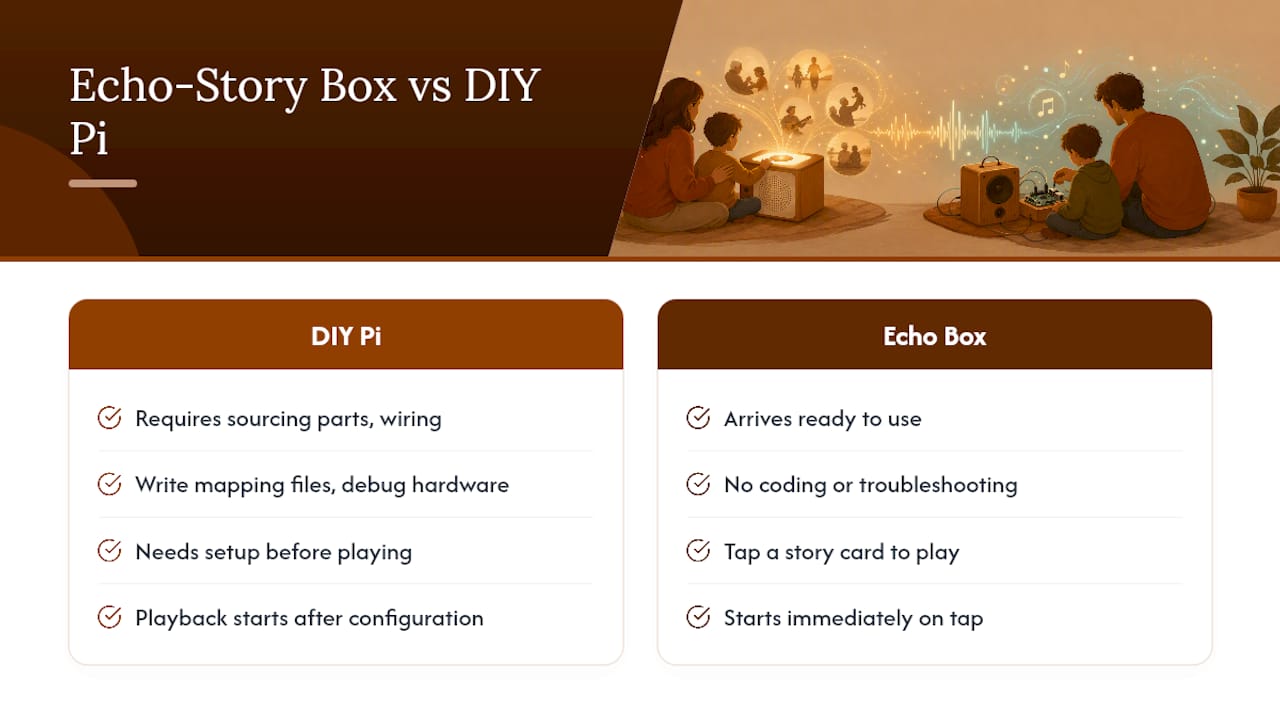
Where a DIY Raspberry Pi music player asks you to source parts, write mapping files, and debug hardware, a ready-made story box arrives ready. A child taps a story card, and the story starts. There are no ads, no menus, and no notifications competing for attention, just original adventures, faith-based stories, homeschool learning audio, and space for your own family recordings. You can add a grandparent's voice, a personalized adventure, or a bedtime message meant to last for years, all without touching a soldering iron.
Because everything plays locally from a physical card, the experience stays private and stays working, year after year. If you're weighing a weekend of wiring against a box that's ready when it arrives, see how Echo-Story Box works or explore the full story card library to start building your family's collection today.
What We Learned Building and Testing Story Players
Small fixes made the biggest difference in every prototype we looked at. A magnet or a painted alignment mark turned a fussy, easily-abandoned box into one kids used without help. Quick-wake logic mattered more than raw processing power, since a slow boot is where a toddler's patience runs out.
The recordings mattered more than the technology. Families who added a grandparent's voice or a personalized adventure kept coming back to those specific cards, far more than to any general story. That's the real case for building or buying one of these players: not the hardware, but what it lets you preserve.
— Bob
A Few More Places to Look
For DIY builders, StoryBox and favolotto offer working code to study, and magic-storybook shows a clean mapping approach. For durable, giftable cards, pre-printed NFC audio story cards are worth a look. Families who'd rather skip the build entirely can start at the Echo-Story Box product page.